FOR MACOS AND IOS
SocialCensor
Prepare your posts easily for social media.
SocialCensor provides you with a wide variety of backgrounds for Instagram to present your pictures presentably without trimming them.
Daneben kannst Du sensible Bereiche Deiner Bilder kreativ verpixeln, weichzeichnen oder farbig/grau abdecken.
No cloud. No upload. Directly on your device.
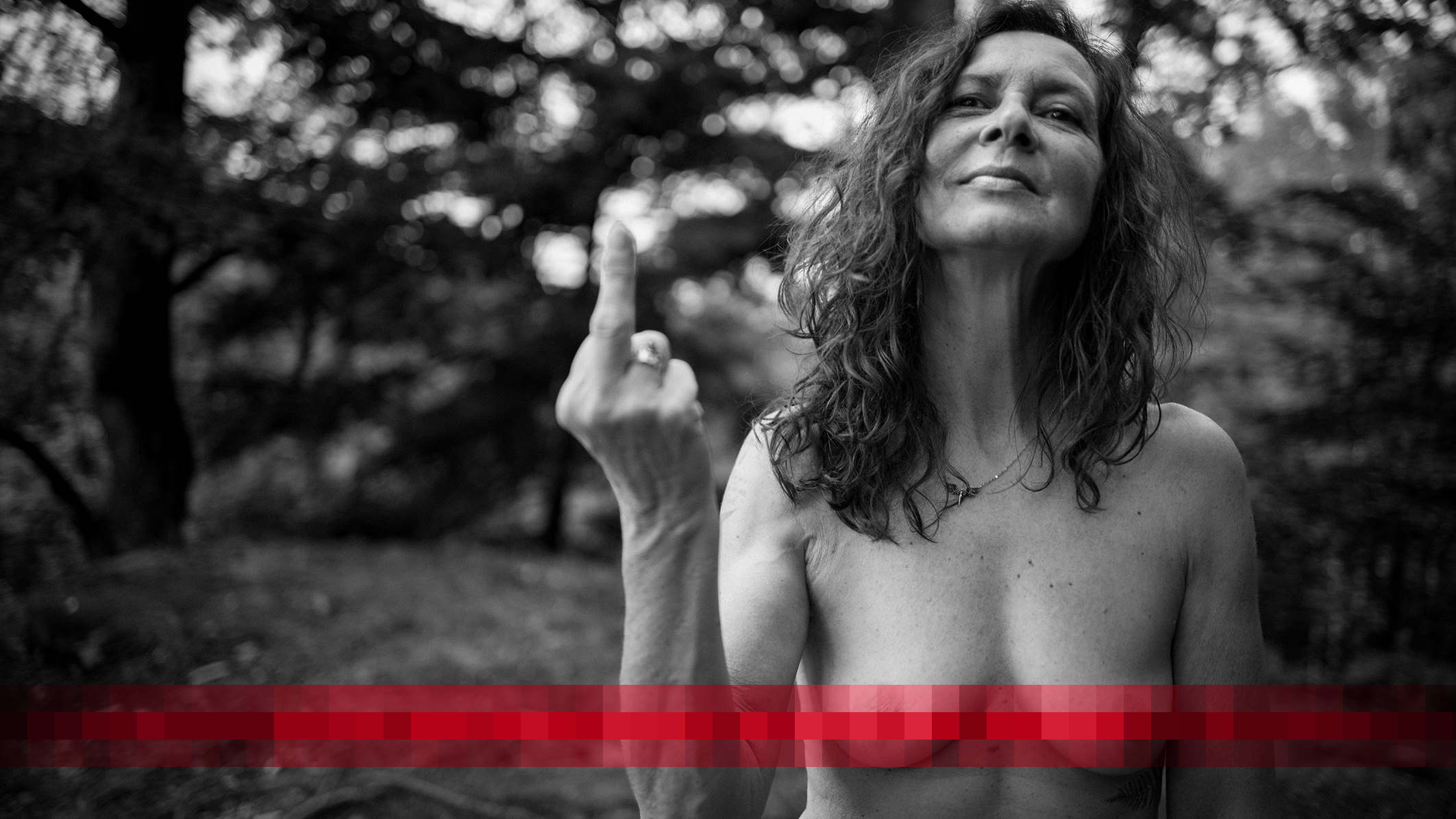
SocialCensor is ideal for photographers, content creators, artists and all those who want to publish their images in a privacy-friendly way.
The appropriate background for each format (version 1.3)
It all started with 4:5
You photograph in the format 2:3 (small image) and Instagram offers you only 4:5. The result is that something is always cut off at the top and bottom. The original image is destroyed.
With SocialCensor you can freely place your images in any size on the background and present the complete image.
Today you can choose between 4:5, 1:1, 1.91:1, 16:9 and 3x 4:5.
You prefer a square background or show your pictures in landscape format? Or would you rather post a selection of pictures in the Instagram story?
It’s all possible with SocialCensor.
The format 3 x 4:5 is also interesting. Just give it a try.
Some images need a little protection.
Not every photo can be published as it was taken. With SocialCensor you can mark the desired area, choose the type of coverage and see the result immediately – without a large image editing program.
What to expect
Make sensitive areas unrecognisable
SocialCensor helps you to make sensitive areas in photos unrecognisable quickly and easily. A short hint of what visitors can expect there.
Whether pixelating, blurring or complete blackening – images for social networks can be prepared with just a few clicks.
All editing is done directly on your device. No images will be uploaded and no personal data will be processed.
More than just pixelating
What else you can expect:
- Pixelating of sensitive image areas
- Blur selected areas
- Colour areas completely black or coloured
- Rectangular, elliptical or brush selection
- Adjustable strength of censorship
- Support for JPEG, PNG and HEIC
- Export as JPEG
- Instagram canvases in the formats 4:5 (normal), 1:1 (square), 9:16 (story/reel) and 1.91:1 (landscape) with white or coloured background
- Fast and intuitive operation
- From version 1.3 (MacOS): Triptych and upload multiple images
- From version 1.3: Free placement of the images on the canvas
Datenschutz steht an erster Stelle. Alle Bilder bleiben ausschließlich auf deinem Gerät.
THIS IS HOW IT WORKS
From photo to protected image.
01 · OPEN
Select photo
Open the image you want directly on your Mac, iPad, or iPhone.
02 · MARK
Protect area, select format and organise creatively
Highlight sensitive areas and choose Pixelate, Blur, or Cover.
Choose the appropriate background for your project and present your images there as you want.
03 · SAVE
Use result
Save the result to your library or files, or send the image directly from the app to social networks.
Not everything is obvious
A detailed description of SocialCensor can be found on the next page.
Data protection
Your photos will stay with you.
SocialCensor only processes your images locally on your Mac or iPad. Nothing is uploaded, analysed or transmitted to an external service.
The apps do not collect any data from you and do not transfer any personal data to me.
No cloud
No registration
No passing on
What I’m working on.
Mac version 1.0 (1296): With the basic functions submitted to Apple for review on Wednesday, 29.07.2026
11.08.2026: Available in the App Store
iOS version 1.0 (1298): The app now runs stably on the iPad and the iPhone and I decided on 08.08.2026 to also submit the iPad/iPhone app to the App Store for review.15.08.2026: Available in the App Store
Implemented ideas for Release 1.2 (1514 / 1523)
- Also colour the background for the Instagram format
- Make the placement of the photo on the background variable
- Background format can now be optionally 4:5 (normal IG format), 9:16 (IG Stories and Reels), 1:1 (square) and 1.91:1 (IG landscape format)
Ideas for Release 1.3 (already in the internal test)
- Triptych Format 3 x 4:5
- Upload multiple images in project status
- Text Canvas
- Rubber
You want to get future versions in advance?
Nothing is easier than that. Via TestFlight you can install the version in progress free of charge, test it and make suggestions for improvement. I have unlocked up to 100 external testers, so you have a good chance of being part of it.
If you choose the trial version, you will first be asked to install TestFlight on your device. When TestFlight is installed, click the button again and you will be activated for SocialCensor.
Alternatively, you can send me a message and I will send you an invitation for the trial version.
NOW AVAILABLE
SocialCensor is available in the App Store.
And new versions are in the works.
You want to be informed about the start or test the app in advance? Write me briefly – I will contact you as soon as there is news.

Here is another app I programmed. It is also available in the App Store.